Pick a "Version", then select a block or item texture in the texture picker. The selected texture can be rotated, flipped, or tinted before it is placed.
Select "Custom" as the version to upload your own texture atlas.
Texturing block faces
Click a face on the papercraft template to add the selected texture to that face.
Each face can hold several texture layers. New textures are placed on top of the existing layers.
Click the texture picker's erase button, then click a face to remove its top texture layer.
"Clear" removes every texture from the page and resets the block options.
Blocks and shapes
"Number of Blocks" places either one or two independent blocks on the page.
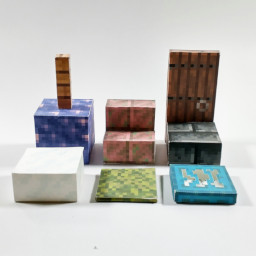
Choose each block's shape with "Block # Type". Available shapes include Block, Slab, Stair, Fence, Door, Trapdoor, Snow Layers, Cake, and Shelf.
Shelf blocks have a state option, Snow Layers have level and intermediate-offset options, and Cake blocks let you choose the number of bites taken.
"Show Folds" toggles the fold and tab guide lines used when assembling the printed models.
Tint
Loading...
Updates
Dec 2021 lostminer - Block generator rewrite.
Dec 2021 NinjolasNJM - Add Stairs, Fence, Door, Trapdoor and Snow.
Jan 2022 NinjolasNJM - Add Cake Block type.
May 2026 NinjolasNJM - Add Shelf Block type.
May 2026 NinjolasNJM - Changed to use new glint and tint input.